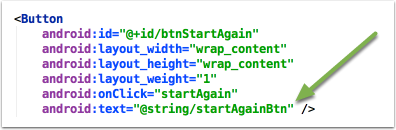
4. @String resource
The last stage to finalise this app is to utilise the ability for translations of text on UI Elements. This section is going to use the strings.xml file to load the text to display.
Nothing will change in the app, except that it will use best practice for displaying text.
4.1 Open the strings.xml
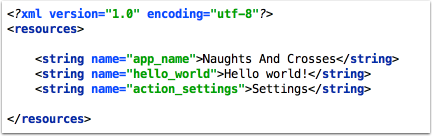
Under the res folder you should find the values folder. Under that folder you'll see a strings.xml. Open it.
Each entry in the strings.xml file is a string which can be loaded by the app.
The entry names (highlighted in green) act similarly to variables. By accessing the app_name string entry, the string "Naughts And Crosses" is used instead.
4.2 Add the necessary string entries
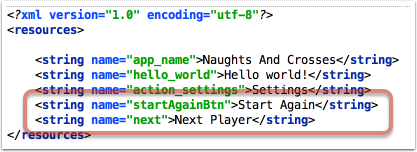
Add the following entries into the strings.xml file. Save the file.
4.3 Update the TextView
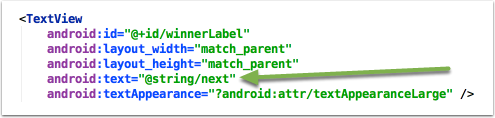
In the activity_main.xml file, find the TextView element and update the text attribute to load the string from the string.xml file.
4.4 Update the Start Again Button
Perform a similar update to the Start Again Button attributes.